
Configuring WARP for VLESS
This article will tell you how to configure WARP for VLESS
What is WARP for?
Various services can block the IP addresses of servers for various reasons, as an alternative to searching for an IP address that will work in the desired service, you can configure WARP. This article will explain and show how to configure it for 3x-ui and Marzban panels.
Installing WARP on the server
Before you start, connect to the server via SSH following these instructions: https://wiki.aeza.net/en/guides/connect-ssh-sftp
To install WARP, enter the following commands:
Download and run the WARP installation script:
wget -N https://gitlab.com/fscarmen/warp/-/raw/main/menu.sh && bash menu.sh wSelect English by pressing 1 and Enter:
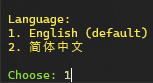
Select "Run script" by entering the number 1 and pressing Enter:
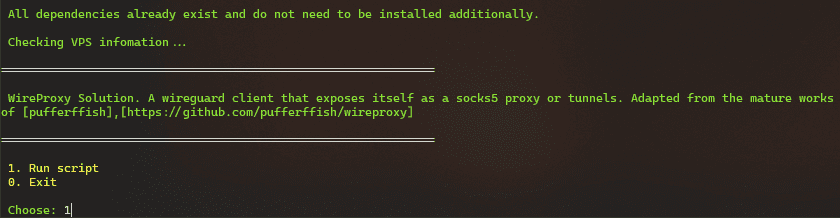
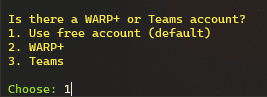
The following question will be asked:

We recommend that you do not enter anything here, just press Enter
For family use, the free version is enough, enter the number 1 and press Enter:
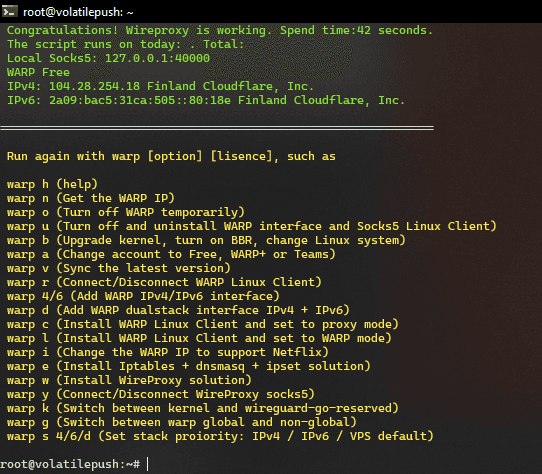
Ready! WARP installation has been completed, you can proceed to its settings.
WARP setup in 3x-ui
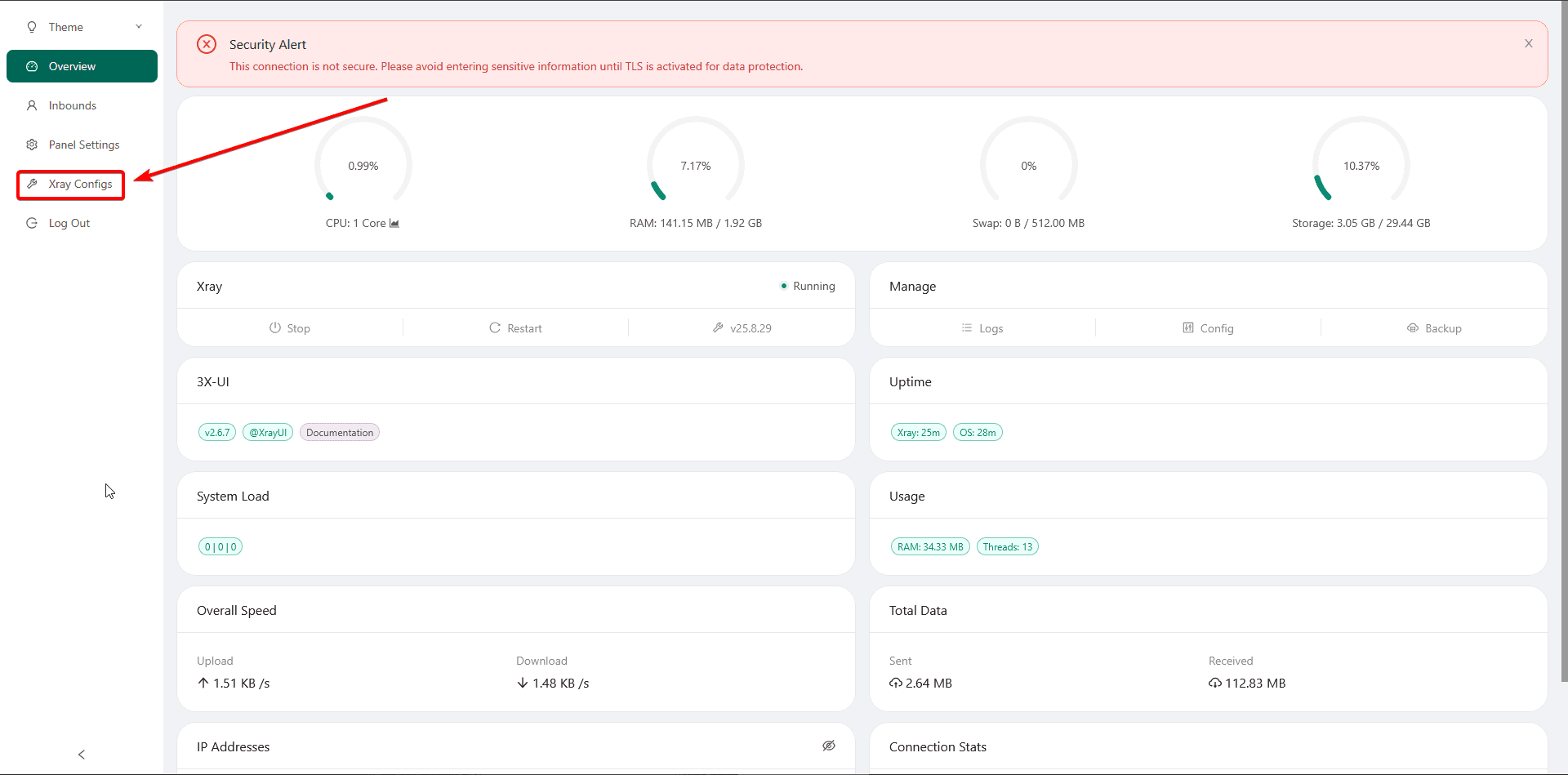
To get started, log into the 3x-ui package and go to the "Xray Settings" section
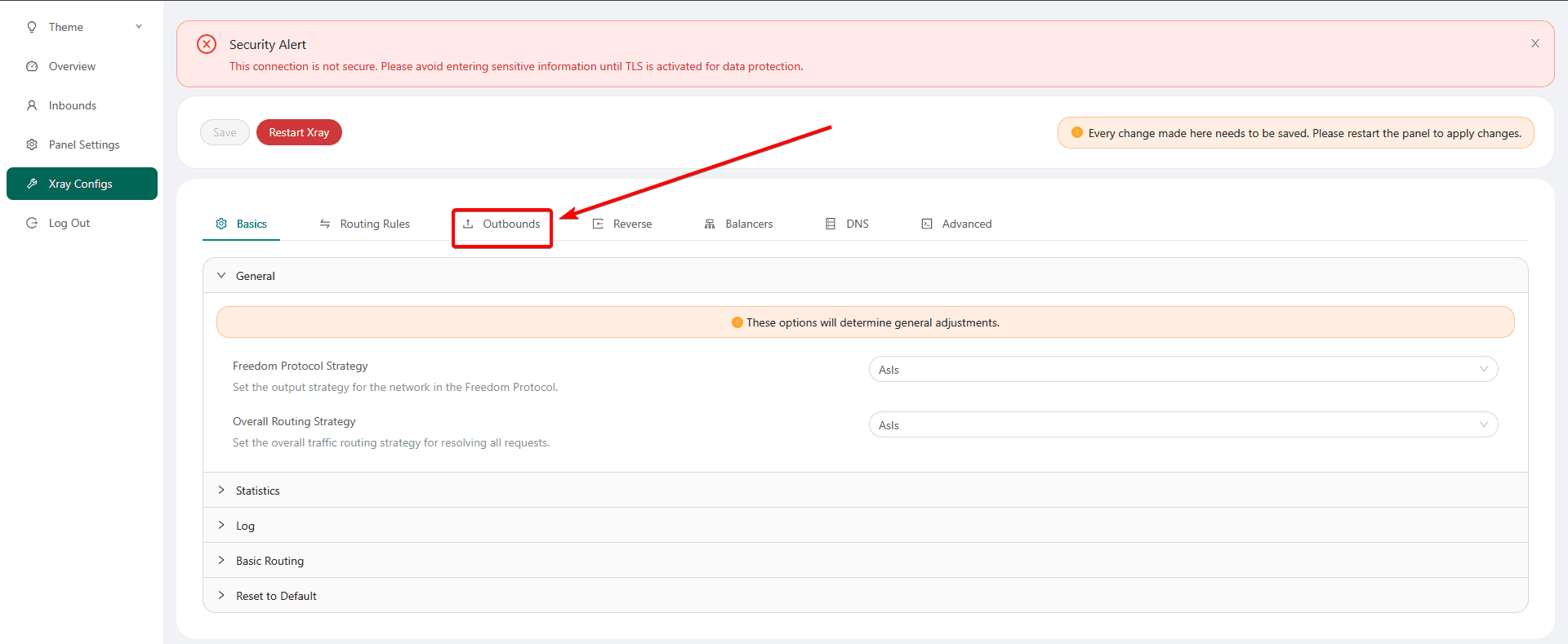
Next, go to the "Outbounds" section
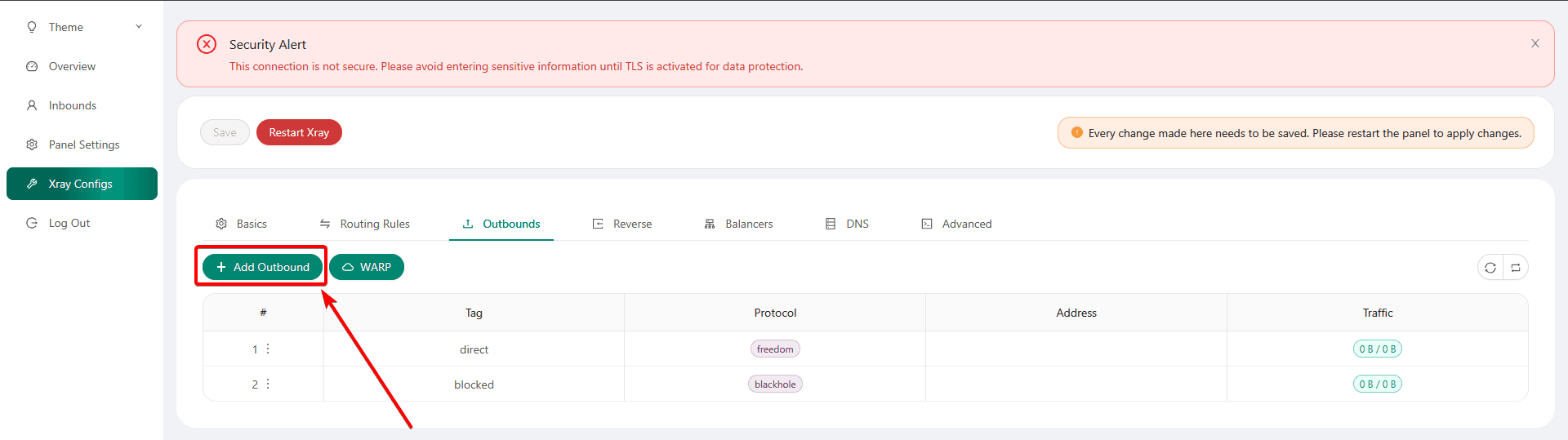
Click on the "Add Outbound" button
Here we enter exactly as in the screenshot:
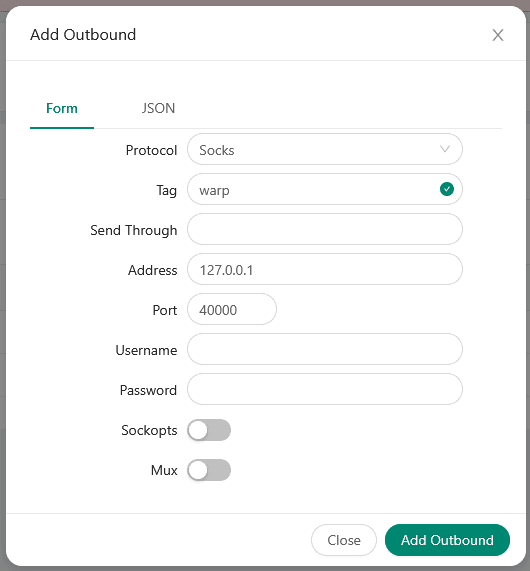
Protocol: Socks
Tag: warp
Address: 127.0.0.1
Port: 40000
And click on the "Add Outbound" button
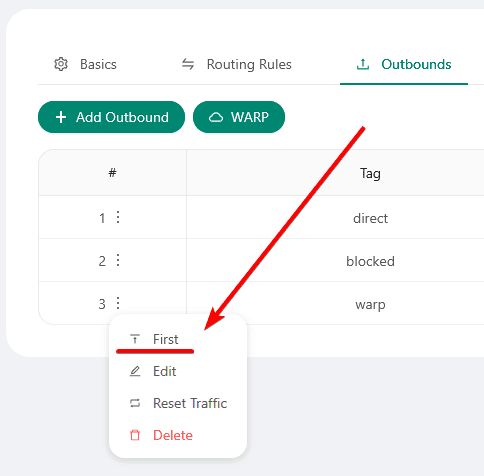
Next, click on the colons and click on the "First" button
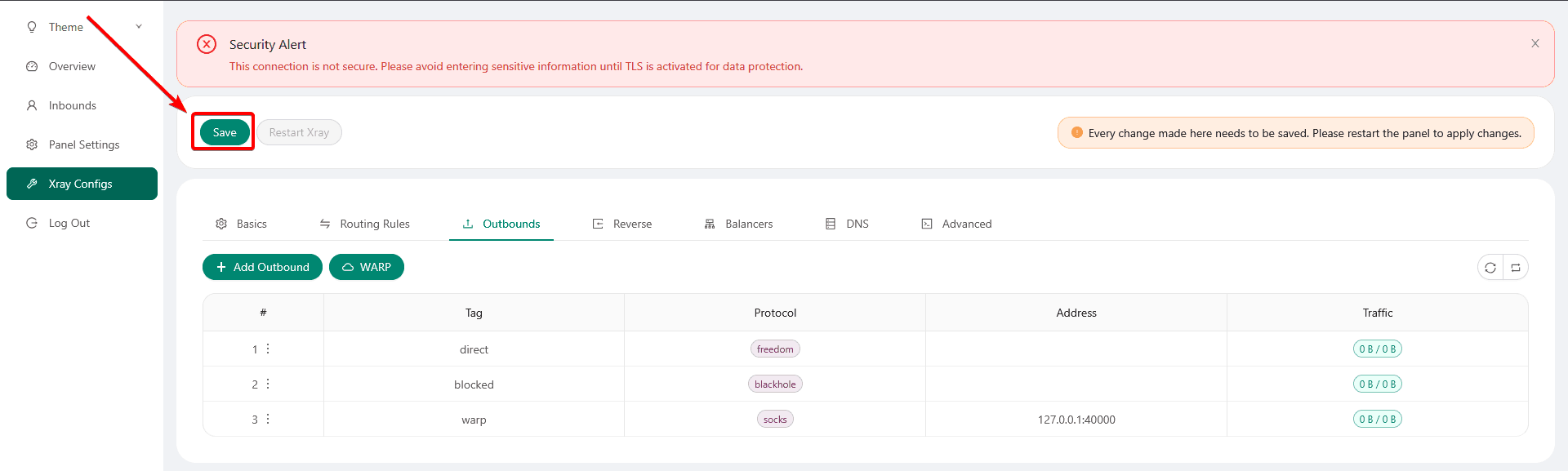
Next, save the changes
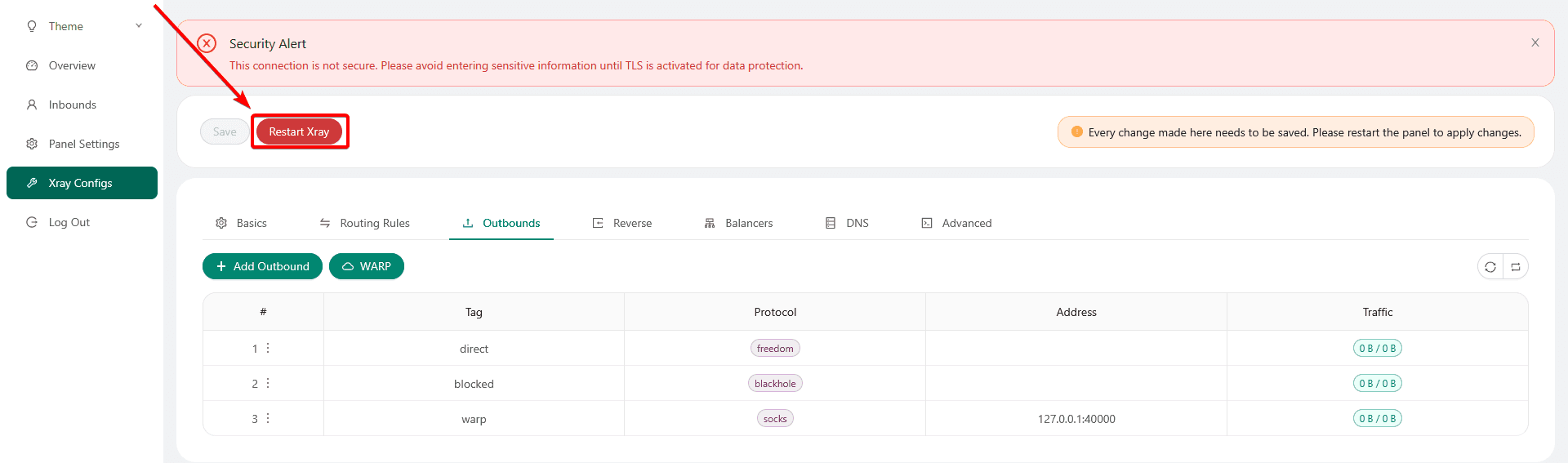
And restart Xray
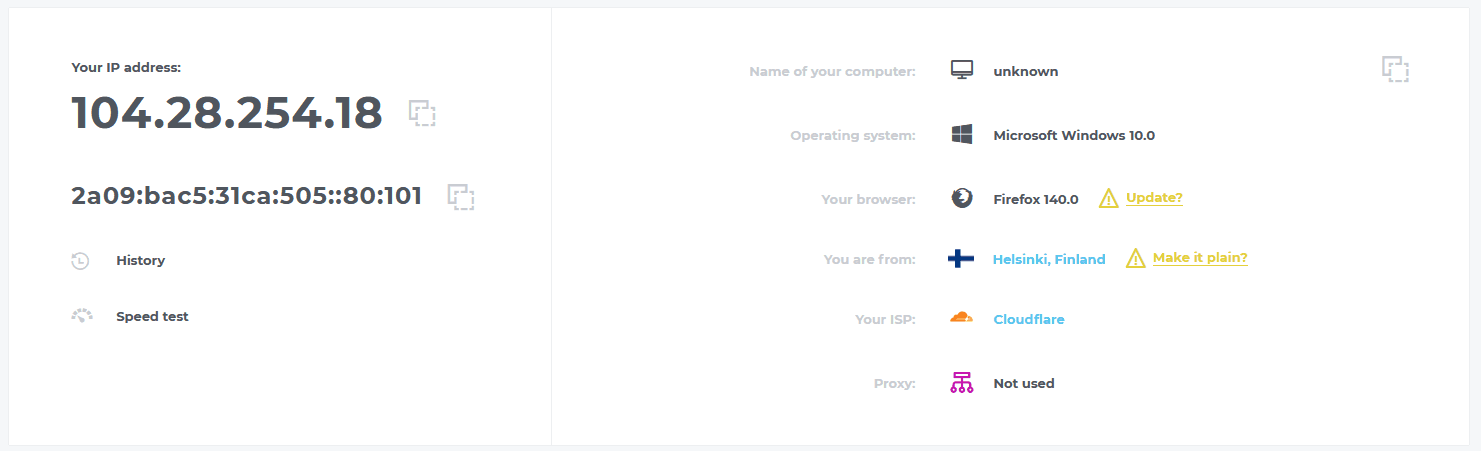
Ready! As a result, you will have a different IP address displayed under VLESS.
WARP setup in Marzban
To get started, log into the Marzban panel and go to its settings:

Scroll to the outbounds section, add the necessary settings to the beginning of the block after the square bracket
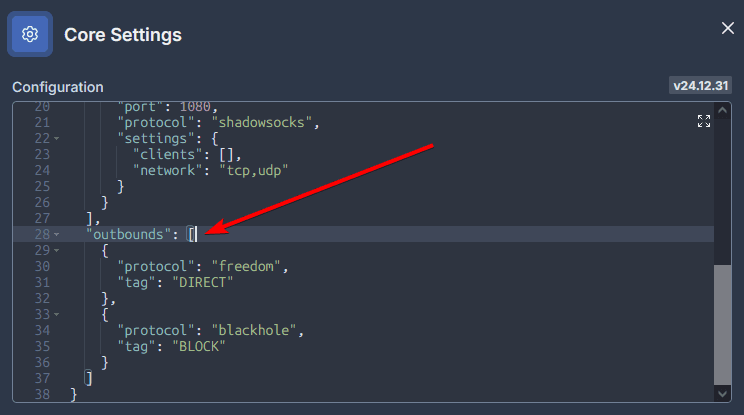
Settings that will need to be added:
{
      "tag": "warp",
      "protocol": "socks",
      "settings": {
        "servers": [
          {
            "address": "127.0.0.1",
            "port": 40000
          }
        ]
      }
    },
After adding it, save the changes.:
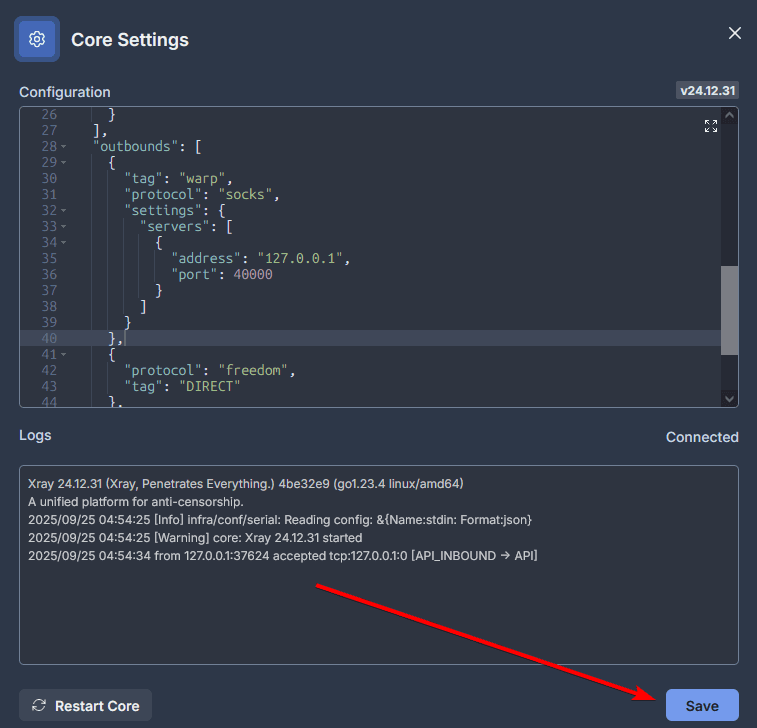
Ready! As a result, you will have a different IP address displayed under VLESS.
TorrServer - personal streaming service for movies and TV series
TorrServer is a free and open software package used for downloading and instant streaming viewing of movies and TV series from torrent files on home TV, phone or computer.
Webmin - the best replacement for XPanel
Webmin is a web interface for administering Unix systems. It simplifies system management, especially for those who are not familiar with the command line.